Did you know you can set URL on BLOGURU
2009-03-13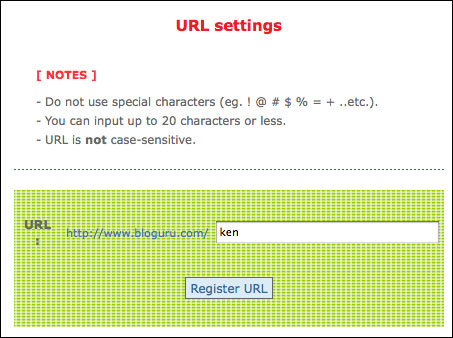
When you open a blog, do you know you can set your own URL?
My Bloguru URL is www.bloguru.com/ken
To set URL, you need to go to your Bloguru administrator page, and select URL Setting. You will see a screen like above. You just type in the name you wish to call. My case I typed in ken. You can enter any name (no space or symbols allowed). You can change your URL any time you wish. Once URL is set, it should be the address you should use to address your blog. It is much easier than the number Bloguru automatically assign you when you open an account.