I found the easier way to connect MacBook Pro to Ultra Wide Monitor
2020-09-19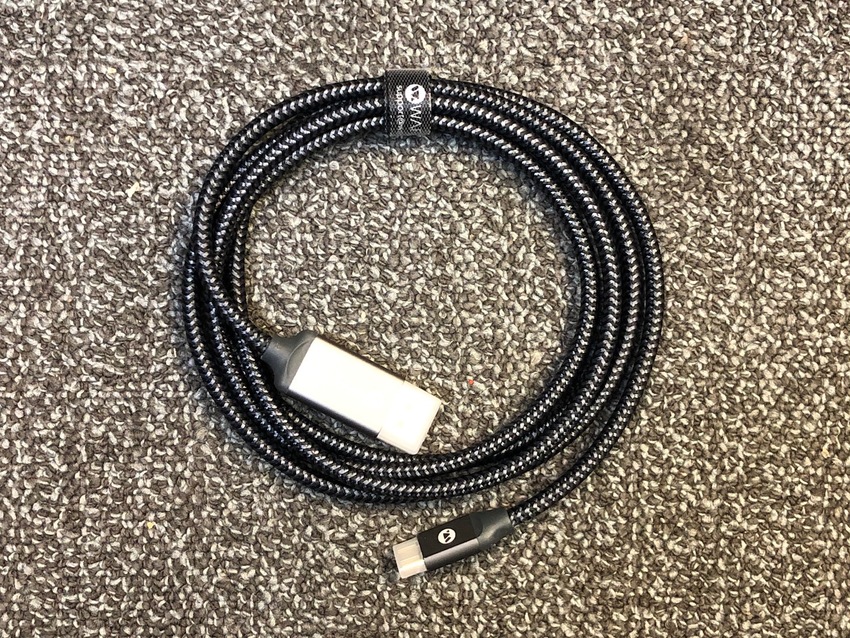

Kenichi Uchikura
President / CEO
Pacific Software Publishing, Inc.
ken.uchikura@pspinc.com
__..-・**・-..__..-・**・-..__..-・**・-..__..-・**・-..__
Search and Reserve Your Domain Name

__..-・**・-..__..-・**・-..__..-・**・-..__..-・**・-..__
I am publishing newsletter every Wednesday.
I would like you to subescrbe at following URL.
It tales less than a minutes to read.
UCHIKURA CO
Thank you.
__..-・**・-..__..-・**・-..__..-・**・-..__..-・**・-..__
#PacificSoftwarePublishing #PSPinc #KenichiUchikura #KenUchikura #UchikuraCo #Bloguru
#BusinessPlanner #BusinessManager #Inventor #Bellevue #Seattle #Tokyo #Japanese
USB C to Display Port Cable
I reported after struggling to connect my MacBook Pro to 3440 x 1440 Ultra Wide monitor for a while, I finally made it it work using 5K hub and the display driver I installed. But it was a huddle.
Tos=day, I found the much easier way to connect this Ultra Wide Display to MacBook Pro at its 3440 x 1440 resolution. The answer was simple, I use the USB-C to Display Port cable. I could not get it to work with HDMI cable but the display port was possible. This way I do not need any driver software or other setup.
I wasted over $150 to get to this conclusion sir you don't have to.
Kenichi Uchikura
President / CEO
Pacific Software Publishing, Inc.
ken.uchikura@pspinc.com
__..-・**・-..__..-・**・-..__..-・**・-..__..-・**・-..__
Search and Reserve Your Domain Name
__..-・**・-..__..-・**・-..__..-・**・-..__..-・**・-..__
I am publishing newsletter every Wednesday.
I would like you to subescrbe at following URL.
It tales less than a minutes to read.
UCHIKURA CO
Thank you.
__..-・**・-..__..-・**・-..__..-・**・-..__..-・**・-..__
#PacificSoftwarePublishing #PSPinc #KenichiUchikura #KenUchikura #UchikuraCo #Bloguru
#BusinessPlanner #BusinessManager #Inventor #Bellevue #Seattle #Tokyo #Japanese